Creating a Quote in the Nue MCP App
This walkthrough runs one deal end to end inside Claude: find the customer, create the opportunity, price and preview the quote, commit it, route it through approvals, generate the order form, and prepare it for e-signature. Every screenshot is a real run against a Nue sandbox tenant.
The whole thing starts with one sentence.
What you need first
- The Nue connector added and authorized in Claude — see Connecting Claude to the Nue MCP App.
- A role that can quote. This walkthrough is the Sales Representative motion; the tools it uses are visible to that role out of the box. What your assistant can see follows your roles — see Tool Visibility.
- For the approvals steps, the Approval Management permissions granted — see the note in step 6. They ship granted to no role.
- A sandbox tenant the first time. This creates real records.
1. Pick the customer
Nue answers the opening request by looking up the customers you can see and rendering them as a card — a table with a Select button on each row, not a list you have to retype.
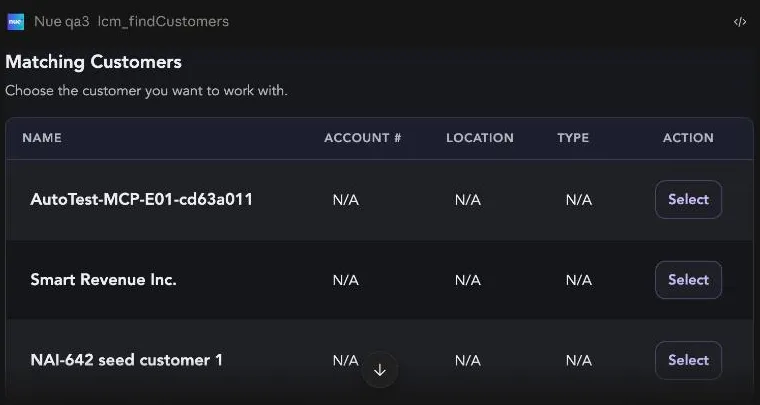
Click Select, or just name the account in your reply. Either way Nue then asks only for what it genuinely can't infer — the opportunity, the price book, and the products with quantities and dates.
Fill, don't interrogate. Nue parses everything it can from your message and from sensible defaults, then asks one question about what's actually missing. Putting the details in your first message — "Smart Revenue Inc., new opportunity, default price book, 50 platform users on a 12-month term" — skips most of the back-and-forth.
2. Approve the first tool call
Before anything reaches Nue, Claude shows you the tool it wants to run, which connector it belongs to, and the full request payload.
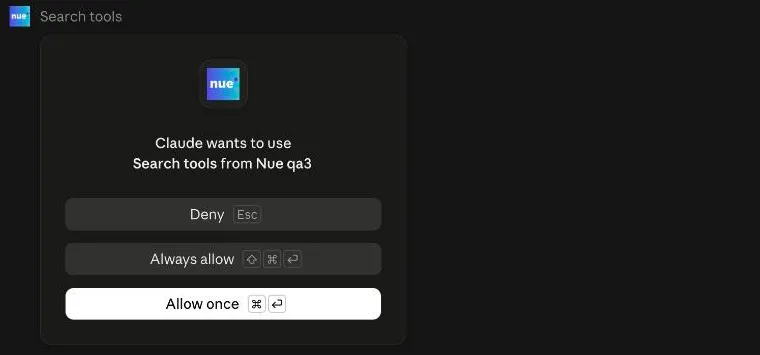
Choose Allow once while you're learning the flow. Always allow is reasonable for read-only lookups you'll hit constantly; keep write tools on a per-call approval.
3. Create the opportunity
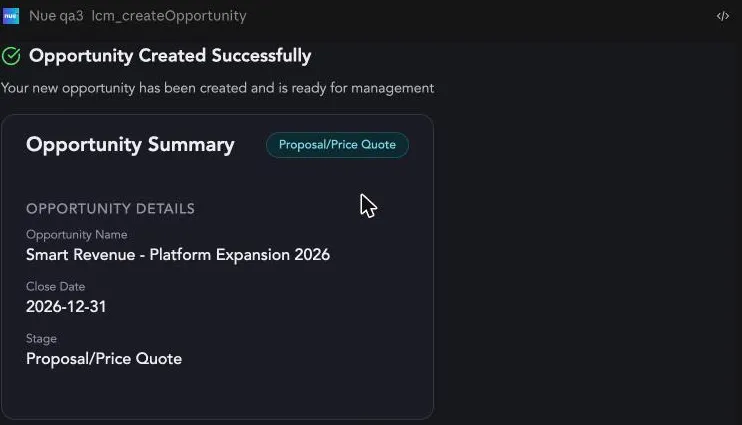
Supply the opportunity name, close date, and stage, and the quote details in the same breath:
The opportunity is created and confirmed on its own card.
4. Preview the quote before anything is saved
The quote tool runs twice in this flow — once to preview, once to commit. The difference is a single field in the request, and you can see it in the approval prompt:
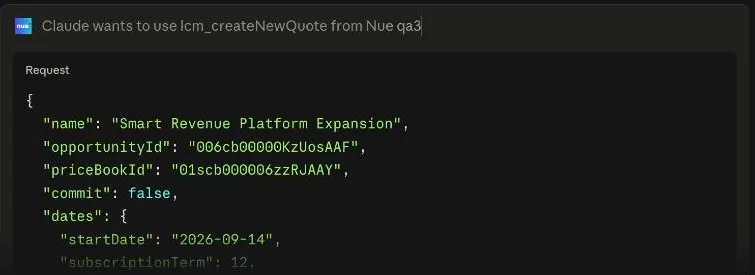
Read commit in the payload. "commit": false prices the quote and writes nothing. "commit": true saves it. The tool name is identical in both cases, so the payload is what tells you which one you're approving.
The preview comes back as a full quote card — line items, terms, dates, and the real calculated total, straight from Nue's pricing engine.
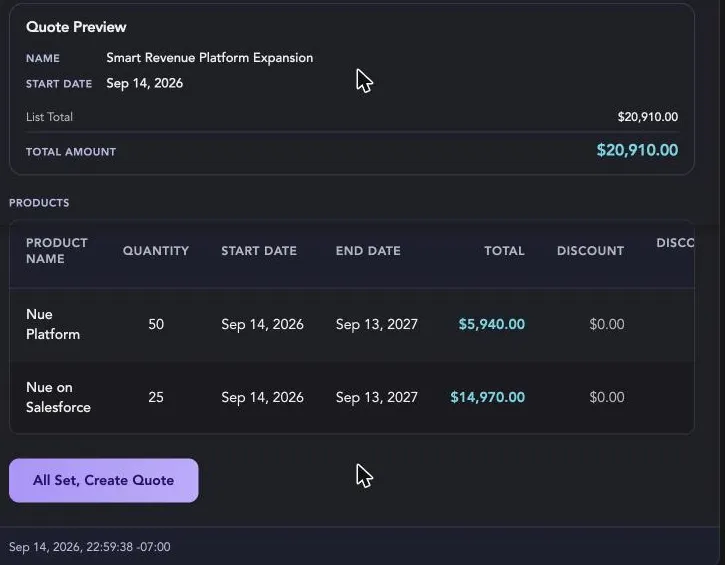
Nothing has been saved at this point. This is the moment to check the things a model shouldn't decide silently — and Nue will flag them for you. In this run it called out that it had used the User/Month unit of measure (each product's catalog default) when User/Year pricing also existed for the same SKU, and that a second price book carried identical pricing. Both change the number. Both are worth a look before you commit.
5. Commit the quote
Click All Set, Create Quote. The button doesn't fire the tool — it drafts the instruction into your message box and waits for you to send it.
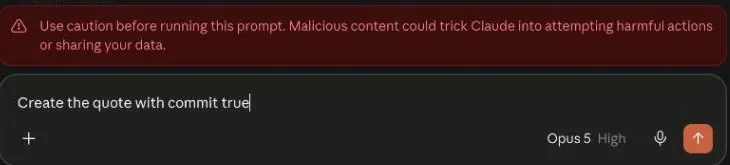
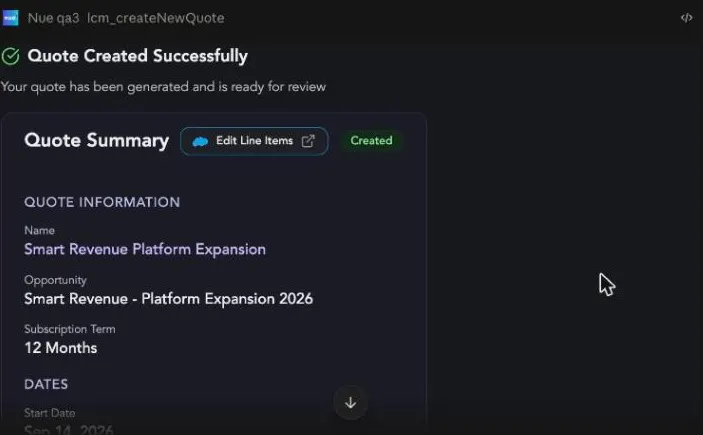
Read the drafted text, send it, and approve the tool call — this time with "commit": true. The quote is saved, and the card confirms it with an Edit Line Items link straight into Nue's quote line editor, for anything easier to do in the grid.
6. Preview the approval path
The approvals tools need granting first. Approval Management is licensed and permissioned on its own, and its four permissions — View Approval Processes, View Approvals, Submit Approvals, Act on Approvals — are granted to no role as shipped. Until an administrator grants them on the Roles page, the approvals tools sit at Not permitted and your assistant behaves as though they don't exist. System Administrator is the exception, because it holds every function. See Tool Visibility.
Ask for approvals before submitting:
The approval preview evaluates every configured path and tells you which ones will trigger — and, just as usefully, which ones won't and why. When nothing matches, the card says so plainly and the submit button is disabled, because there is nothing to submit.
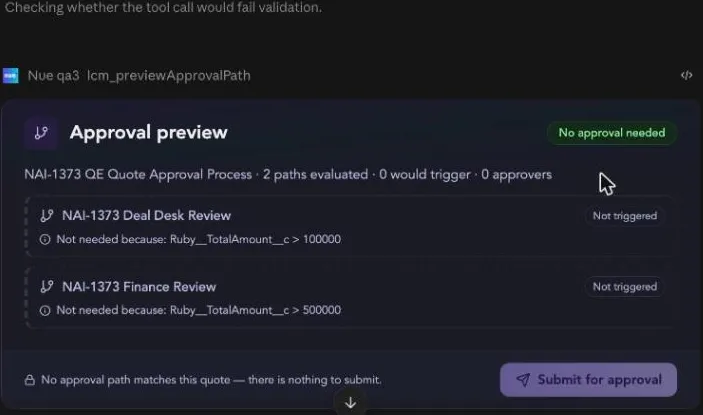
Raise the deal above a threshold and the same card fills in: which path fires, the rule that triggered it, the named approvers, the steps that depend on an earlier decision, and the paths still sitting it out.
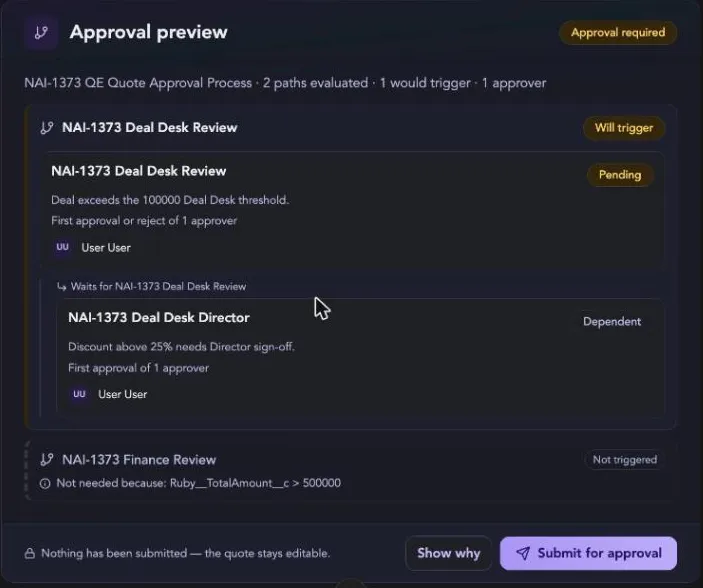
The preview is read-only. It writes nothing and locks nothing. Its footer says so: "Nothing has been submitted — the quote stays editable." Use it to sanity-check a deal's routing before you commit a seller to waiting on it.
7. Submit and track
Submitting hands the quote to Nue's approval engine. Because paths can have dependent steps, routing may still be in flight when the response returns — and the card is honest about that rather than guessing.
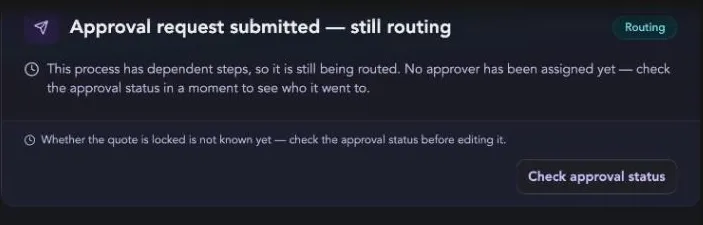
Check the status and you get the live picture: how many steps are decided, who the request landed on, which steps were skipped, and whether the quote is locked for editing while the approval is in flight.
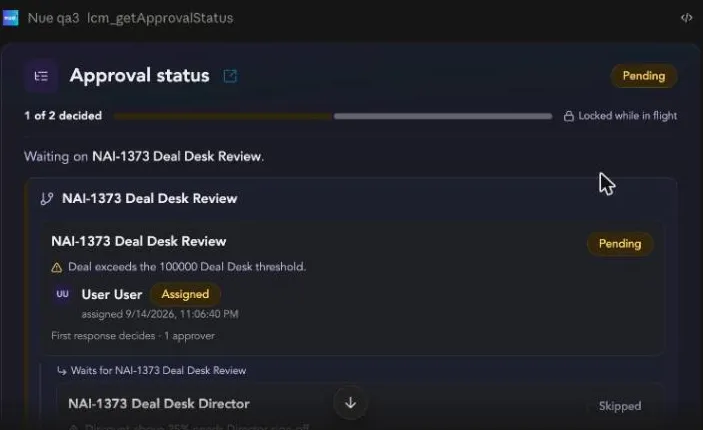
The dependent Director step resolved to Skipped here — it's gated on a discount above 25%, and this quote carries none. Approving the one step that actually needed a decision closes out the whole request and unlocks the quote.
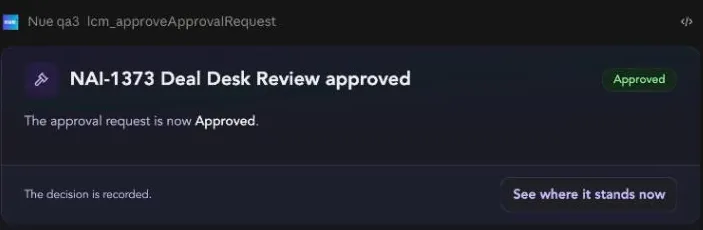
Approving in chat is still approving in Nue. The decision is recorded against the approval request with your identity, exactly as if you had clicked it in the Nue UI. You can only approve steps genuinely assigned to you.
8. Generate the order form
Ask for the document. If more than one published template applies, Nue renders them as a card and lets you choose rather than picking for you.
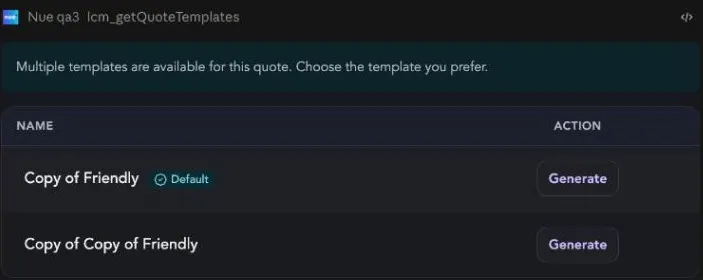
Pick one and the PDF is rendered, with everything you'd want to do next on the card itself.
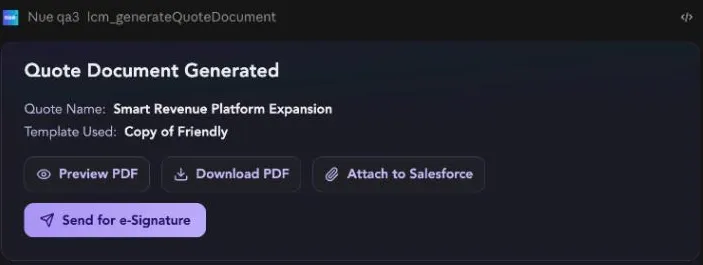
The generated PDF is a live render — it isn't saved to Salesforce unless you click Attach to Salesforce.
9. Review the e-signature request
The last step is the one you least want an assistant doing on its own, so it has the strongest gate: a preview that assembles the entire envelope and then stops.
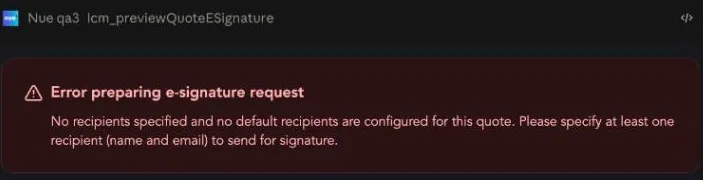
If the quote has no default signers and you haven't named any, the preview fails cleanly — and, importantly, fails before building anything.
Give it a recipient and a role — Needs to Sign, Needs to View, or Receives a Copy — and you get the full request laid out for review: the document, the numbered signer list, and the exact email subject and body your customer will receive.
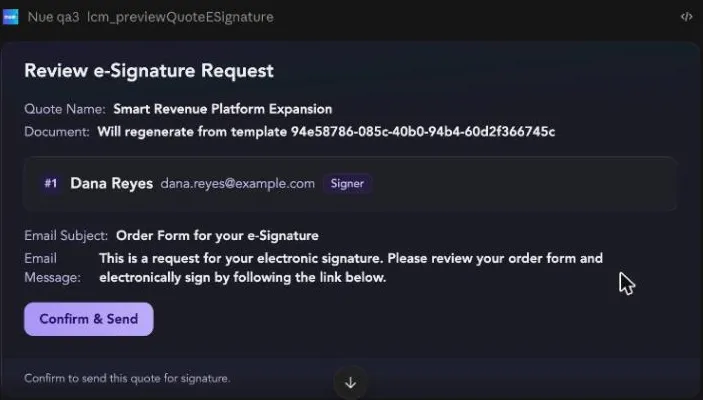
Nothing leaves Nue until you click Confirm & Send. The preview builds the envelope and holds it. Check the recipient address and the email copy here — this is the last screen before a document reaches your customer.
The shape of the flow
Every stage in this walkthrough follows the same three beats, and it's worth internalizing because it's how the whole app behaves:
- Preview — Nue computes the real result and renders it. Nothing is written.
- Review — you check the numbers, the routing, or the recipients on a card built to be read.
- Commit — you send a message you can see, and approve a payload you can read.
Nue will also tell you when it made a judgment call you might not want — the unit of measure it defaulted to, the second price book it found, the approval step it expects to skip. Those notes are the most valuable part of the preview; read them before you click through.
Related
- Nue MCP App Overview — the cards, the tools behind them, and the safety model.
- Connecting Claude to the Nue MCP App — set up the connector.
- Building a Skill for the Nue MCP App — package this whole motion behind one sentence.
- Approvals Overview — how approval paths, steps, and approvers are configured.
- Create Quote Overview — the REST API behind the quote tools.
- Preview vs Commit — the same two-phase model at the API level.